· 3 min read
OEE without a big project: a practical start for smaller manufacturers
What OEE measures, the data you actually need, how to collect it from machines old and new, and how to start with one line instead of a site-wide project.
Overall Equipment Effectiveness, or OEE, is one of the most useful numbers a production manager can have. It is also one of the most misunderstood, and plenty of smaller manufacturers assume it needs an expensive MES project to measure. It doesn't.
What OEE actually measures
OEE compares what a machine or line produced with what it could have produced in the time it was scheduled to run. It is made up of three parts:
- Availability: of the time the line was planned to run, how much was it actually running? Breakdowns, changeovers and waiting for material all reduce it.
- Performance: while it was running, how fast did it run compared with its ideal rate? Slow running and short stops reduce it.
- Quality: of everything produced, how much was good first time? Scrap and rework reduce it.
OEE = Availability × Performance × Quality
The value is not in the headline percentage. It is in seeing which of the three is costing you most, on which line, at what time of day.
The data you need
Less than most people think:
- Running or stopped: a signal from the machine.
- Good count and reject count: from the PLC, a sensor or a checkweigher.
- Ideal rate: what the line should do per hour, agreed with the people who run it.
- Shift pattern: when the line is planned to run, so breaks and non-production time are not counted as downtime.
Downtime reasons (why the line stopped) are the next step, and the most valuable one, but you can start without them.
Getting data from older machines
Modern PLCs connect directly. Older machines are where many OEE projects stall, but there are practical options:
- Read signals that already exist. A running lamp, a fault lamp and a count pulse are often enough.
- Add remote IO. A small remote IO station, such as Weidmüller UR20 on Modbus TCP, can pick up those signals without touching the original control logic.
- Upgrade the controls where the machine is due an upgrade anyway, and build the data in from the start.
What a good OEE application shows
Whatever platform you use, look for:
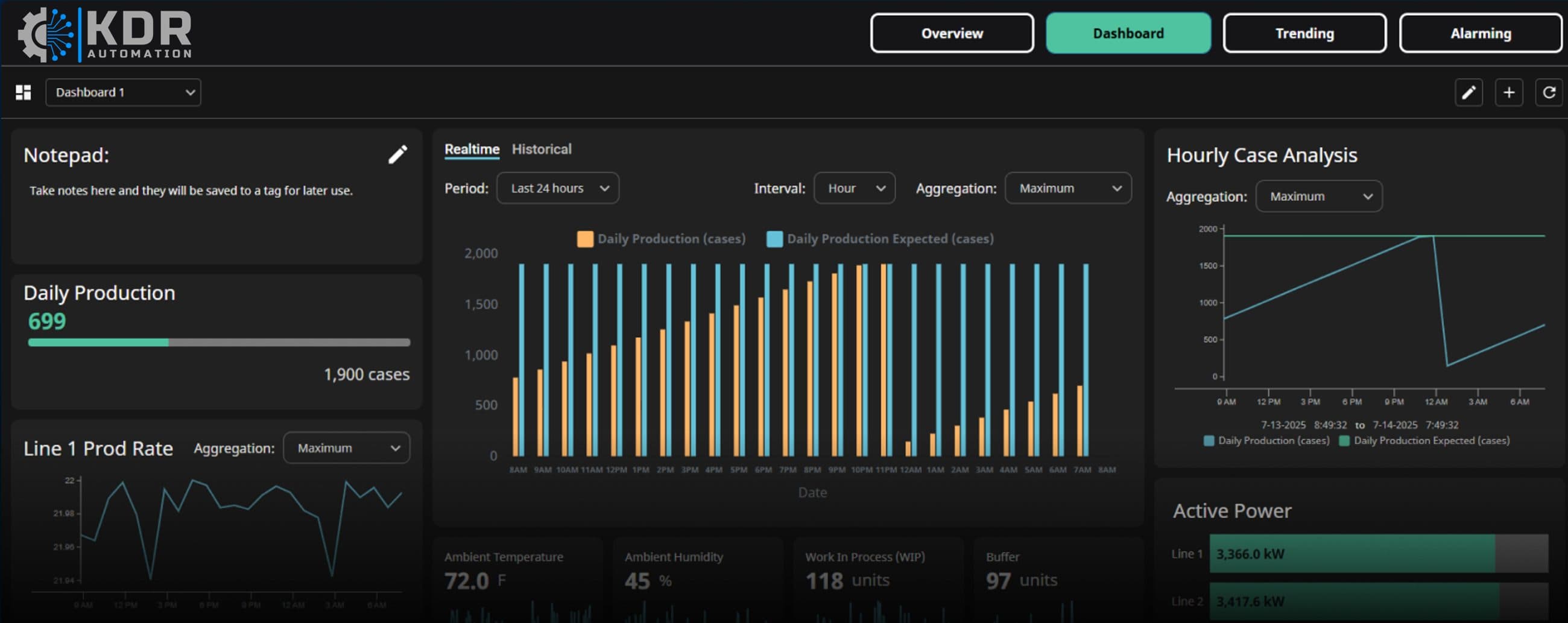
- An overview of every line showing whether it is running, faulted or stopped, current rate against target, and production count
- Availability, performance and quality shown separately, not just the OEE figure
- Hourly trends so you can see when output drops away, by shift or by hour
- Production summaries by day, shift or line, for real continuous improvement conversations
- Simple settings for shifts and target rates, line by line, that your own team can change
Why we often use Ignition for this
Inductive Automation's Ignition platform has ready-built OEE and KPI dashboard applications that connect to most PLCs and databases, so much of the screen work is already done. It is licensed per server, with unlimited tags, screens and users, which suits a site that wants to start with one line and add more without the licence cost growing each time. It runs in a web browser, so the same screens work on a PC, a tablet on the line or a phone. And it can sit alongside an existing SCADA system rather than replacing it.
Start with one line
The most successful OEE projects start small:
- Pick the line that matters most, or the one everyone argues about.
- Agree the ideal rate and the shift pattern with the people who run it.
- Collect running state and counts for a few weeks before chasing downtime reasons.
- Use what you learn to decide what to measure next.
A proof of concept on one line shows whether the data is useful and what it is worth, before you commit to more. If you would like to talk through what that could look like on your site, get in touch or read more about our SCADA and data work.
Related: SCADA and data