· 2 min read
How we upgrade an obsolete PLC without a long shutdown
The five steps we follow to replace an end-of-life PLC and HMI, keep the machine working the way operators know, and keep the time on site short.
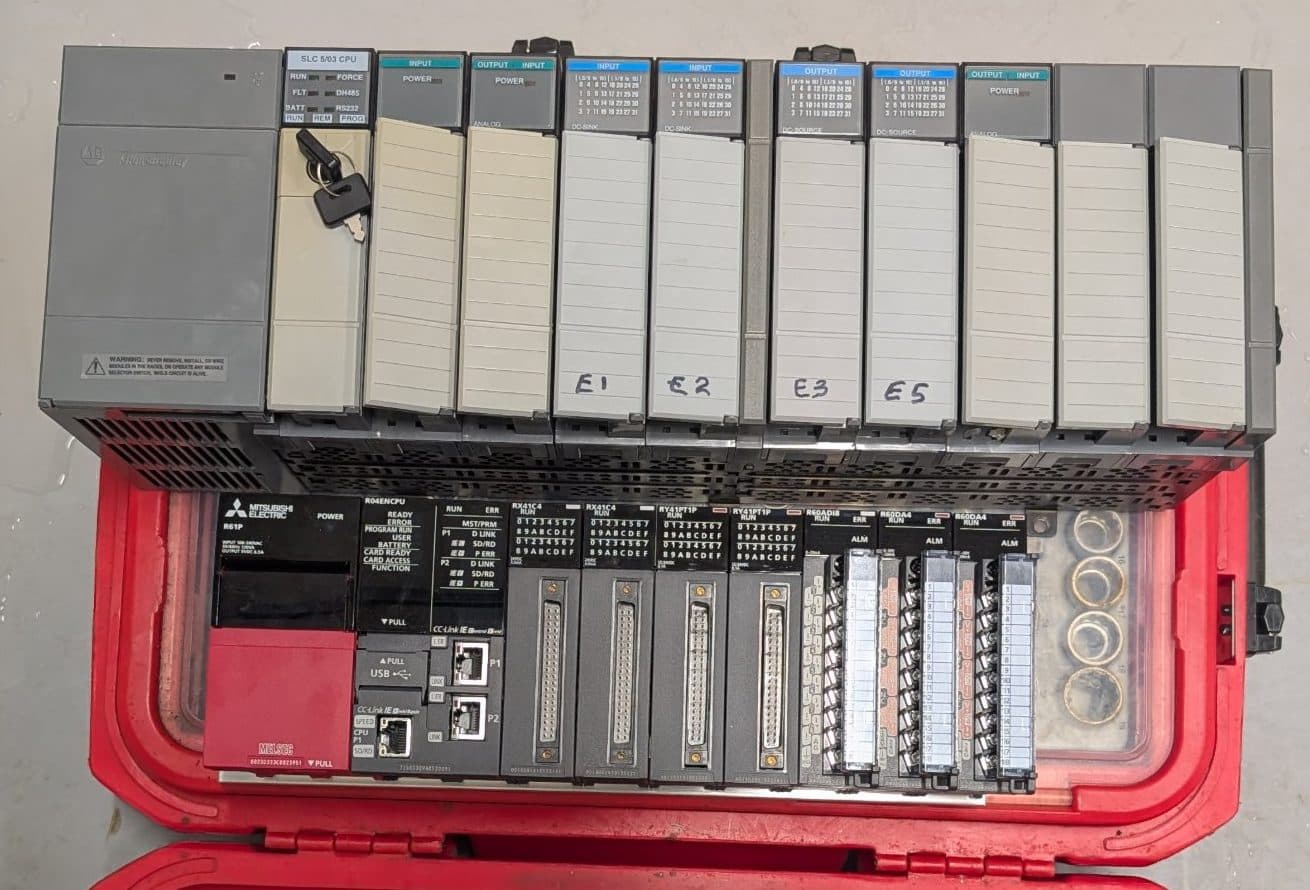
Plenty of machines in Irish and UK factories are mechanically sound but run on controllers that are no longer made. When one of those PLCs fails, the problem is rarely the hardware alone. It is the program: often undocumented, sometimes with no backup at all, and written by a company that may no longer exist.
Here is how we approach an upgrade so that nothing is lost and the machine is back in production quickly.
1. Back up everything first
Before anything else, we take a backup of the PLC and HMI, record the I/O, and watch the machine run through its normal cycle with the operators. If the PLC fails before the upgrade, that backup is what gets you running again.
2. Reverse engineer what the machine actually does
A program uploaded from an old PLC often has no comments or tag names. We work through the logic and write down how the machine really behaves: sequences, interlocks, timers, alarms and the operator settings people rely on. This becomes the specification for the new system.
3. Agree the scope
Most clients want like-for-like, so operators keep the machine they know. It is also the cheapest time to fix the things that annoy people, such as unclear alarms or missing fault screens. We agree that list before writing any code.
4. Build and test off site
The new PLC and HMI programs are written and tested in our workshop against the new hardware, before the machine is touched. This is what keeps the shutdown short.
5. Cut over and prove it
On site, the work is installation, checking every I/O point, and a site acceptance test with the operators. Pre-made conversion cables can let the new PLC plug into the existing wiring, which saves time on the day. On a recent precast handler upgrade, installation and SAT took a single day.
Where to start
If you have a machine on an obsolete PLC, the cheapest thing you can do today is make sure a current backup of its program exists. Get in touch if you would like help with that, or with planning an upgrade.
Related: Legacy upgrades